13
December
2022
Electronic telegraph key Ultra PicoKeyer from HamGadgets
13:22

Electronic telegraph key Ultra PicoKeyer from HamGadgets

13 December 2022 13:22

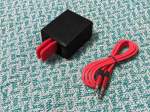
Several years ago, when I was still working at PayPal in Russia, I purchased a soldering kit via the Internet - an UltraPicoKeyer electronic key.

Introduction

This electronic telegraph key with memory was developed by N0XAS and is sold as a kit for assembly. The main function of this device from HamGadgets for radio amateurs is the formation of a telegraph both by pressing the iambic key levers and using character sequences recorded in the device’s memory - macros.
For a long time I used it only for manual work instead of the built-in TLG electronic key, without macros. But I wanted to understand all the possibilities of Ultra PicoKeyer.

Description

UltraPicoKeyer - automatic telegraph key with memory. The price of the kit is $40 or about 2500 rubles, but payment is only in dollars, so it is currently impossible to buy a key in Russia (only through intermediaries).

Advantages of Ultra PicoKeyer:

  • processing key contact bounce, which reduces the number of transmission errors
  • quick and smooth change of manipulation speed using the variable resistor knob (no need to enter the menu to change the speed in WPM, as in Yaesu FT-857 radios). The manipulation speed can be adjusted within a wide range from 5 to 60 WPM, the limits can be set in the device menu, for example from 15 to 25 WPM.
  • the concept of “desirable”, i.e. "usual" speed - through the menu. When you turn the potentiometer all the way to the left, the normal speed is set (each radio amateur has his own)
  • the key is powered by a built-in CR2032 battery (used in computers to maintain BIOS settings)
  • built-in piezo speaker for self-monitoring
  • headphone output; when connected, the built-in speaker is disabled.
  • menu for setting key parameters - so, you can set your call sign MYCALL for quick retrieval from memory.
  • The electronic key can control any transceivers - opening contacts with voltage up to 60 Volts.
  • The menu for settings is “auditory”. There is no need to connect a personal computer to program the key.
  • light weight, dimensions.
  • long period of battery operation without replacement - up to 3 years.
  • if you use an external 3V power source instead of a battery, you can program the telegraph key as lighthouse so that it starts automatically transmitting a message when the supply voltage appears, and repeats it every 5-20 minutes.
  • In the online store HamGadgets.com you can buy devices with cases of different colors, program different devices “not for all occasions”. For example, black for regular QSOs, red for competitions, green for fox hunting.

Compared to analogues from AliExpress:

  • has 4 buttons for 4 macros, called by simple pressing.
  • the ability to record your own macros by transmitting arbitrary text from the key, with the substitution of a call sign into the text.
  • can work as a periodic transmission beacon (repetition time is programmable)
  • Possibility of purchase in the form of a soldering kit - for the purpose of self-production
  • unique CW over FM mode - can be used in radio networks (or on repeaters) to study telegraphy using Morse code transmission with portable VHF radios, using a homemade cable to the radio station.

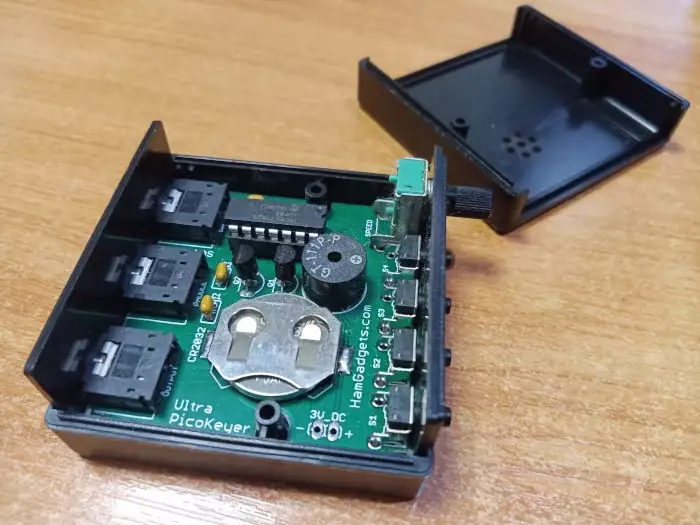
UltraPicoKeyer was supplied as a package with a printed circuit board, a firmware controller chip, a set of radio components, a speaker, a variable resistor, 4 buttons, 3 sockets and a housing. After assembly and soldering according to the instructions, the key does not require adjustment - when the battery is connected, it starts immediately. The sound output when pressing buttons or closing contacts for a horizontal (iambic) telegraph key goes to the built-in piezoelectric speaker (the default sound frequency of 2 kHz can be changed through the menu).

Soldering the key from the kit is not a problem, a maximum of 40 minutes slowly. A regular soldering iron with a thin tip will do. The parts are large, there are no small parts, there are no SMD components. At the last stage, the board is placed in the case (consists of 2 halves connected with screws). As a power source, as mentioned earlier, a CR2032 lithium battery with a voltage of 3 Volts is used.

Connection

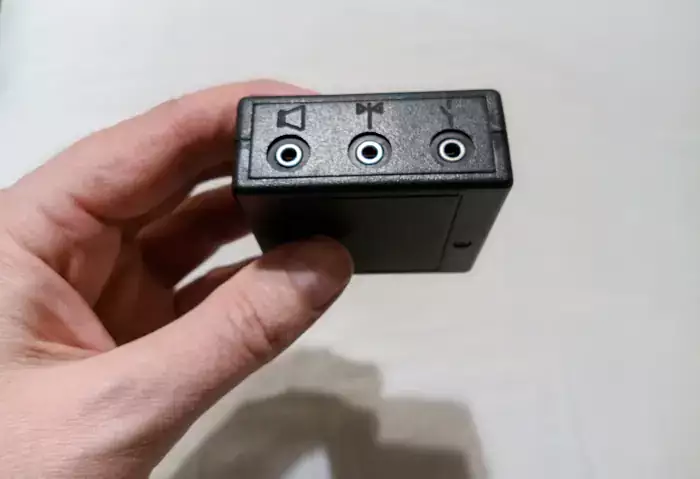
On the rear panel of the UltraPicoKeyer there are three 3.5 mm jacks.

cwkey-hamgadgets-ultrapicokeyer-1

Far left - headphone output or dynamics for self-monitoring of transmission quality.
Middle - input for telegraph manipulator type "iambic key" (in English "paddle").
Right - exit to the radio station(a regular speaker cable jack 3.5 mm - jack 3.5 mm will do).

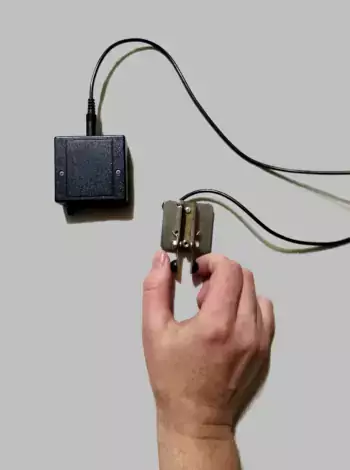
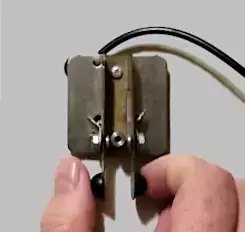
To practice Morse code transmission, just connect the key to the central connector. The telegraph key I use is MFJ-561K paddle, Miniature Travel, Ambic, Kit. Now it costs $35, at the exchange rate the price is 2200 rubles.
I ordered another key printed on a 3D printer from China at the Radio Frequency 1988 Store -AK02 for 940 rubles.

Device management

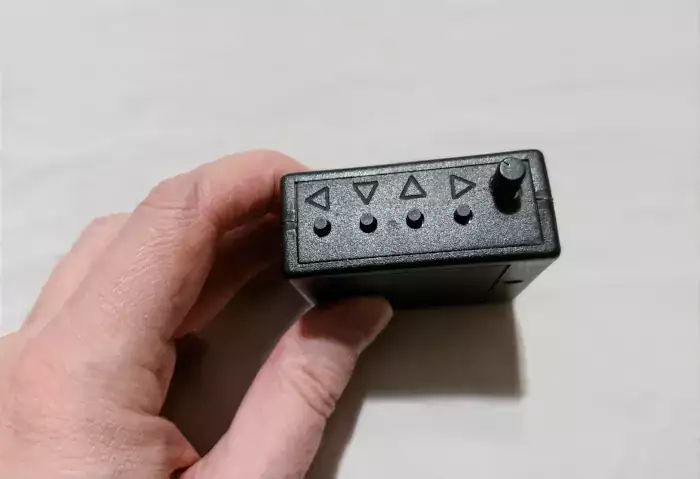
On the front panel there are four buttons in the form of plastic pins - pushers:

cwkey-hamgadgets-ultrapicokeyer-2

  • two buttons on the edge:1- left and 4- to the right are used to move between menu items.
    1-4

  • two central buttons -2- down and 3- up to change the value of a parameter within a menu item.
    2-3

Pressing two buttons at the same time 1 and 4 transmits the call sign MYCALL.
mycall

By alternately short pressing the buttons 1,2,3 or 4 pre-recorded messages can be transmitted.
play

To adjust the standing wave ratio in the matching device, you can press two buttons 1 and 3.
After this, when you press the “dash” key once, the carrier will be transmitted endlessly, and when you press the “dot”, a series of dots will be transmitted.
tuneup

To exit the SWR adjustment mode, press the button 2 "down arrow"
tuneup-exit

To adjust the speed of manipulation there is a variable resistor, the handle of which is located on the right side of the front panel.
ultra-picokeyer-change-speed

How to get to the menu?

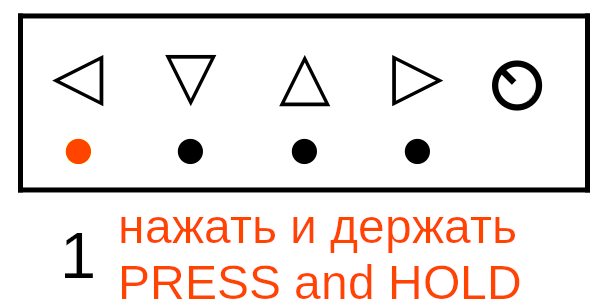
Press and hold buttons 3 and 4 simultaneously for a few seconds. When you enter the menu, you will hear a question mark sound "?" ..--..
setup
Exit the menu - keep doing the same 3 and 4.

Menu

1. Control selection - dots under the index finger, and dashes under the thumb (or vice versa):

Enter menu (3+4).
setup

  • Click "1"- got into the firmware version menu "VERS 2.0"
    1
  • Click "1"- we are in the menu item "menu" "L"
  • Click "1"- we are in the menu item "my call"
  • Click "1"- we are at the point "delay"
  • Click "1"- we are at the point "audio t"
  • Click "1"- the menu we need "padl"- then an invitation "dit",
    After the "dit" prompt, you need to touch the petal on the telegraph key, which is responsible for the point.
  • Exit the menu - simultaneously press (3+4).
    setup

2. Record the call sign MYCALL

Enter menu (3+4).
setup

  • Click "1"- got into the firmware version menu "VERS 2.0"
    Press button "1"- got to the point "menu L"
    1
    Press button "1"- got to the point "my call".

press and hold "2"(arrow down)
2

record the call sign using the key transfer.
cwkey

press and hold "2"(arrow down)
2

The call sign is recorded in memory.

  • Exit the menu - simultaneously press (3+4).

Recording macros on buttons 1, 2, 3, 4

На example of button 1. Hold it for a long time to start recording (an “invitation” to start input will sound - the letter “K”).
hold

We enter your call sign using the key.
telegraph

If we make a mistake, we exit by pressing any button other than the one in which we are writing.
For example, if you recorded a macro digitally "1", push exit "4" or 2 or 3.
4

If you exit without saving, you will hear the following response:"NR"- not recorded ("non record").

To record a macro into the key's memory, you also need to hold down the same key for a long time on which you record the macro.

If an error occurs, repeat the steps from the beginning - hold the button and enter CW.
telegraph

The end of the recording - saving to memory - is done by holding the same button for a long time.
hold

We do the same with the other three buttons - we record macros 2, 3, 4 in them.

My macros for Ultra PicoKeyer

1)CQ CQ DE {my-call} {my-call} PSE K

Input:
CQ {pause} /R DE {pause} /Y /Y PSE K

2)DE {my-call} GD UR RST IS pause_for_RST pause_for_RST HW K?

Input:
DE /Y GD OM UR RST IS/P/P {pause} HW? K

Important: transmit IS/P/P together.

3)TNX {pause_for_water_name_from_key} CU 73 73 DE {my-call} SK E E

Input:
TNX/P CU 73 73 DE /Y SK E E

Important: convey TNX/P together.

4)DE {my-call} MY NAME NAME IS VLADIMIR VLADIMIR ES QTH QTH IS ST PETERSBURG HW? PSE KN

Input:
DE /Y pause MY NAME NAME IS pause VLADIMIR VLADIMIR pause ES QTH QTH IS ST PETERSBURG pause HW? PSE KN

Conventional signs used here:

/Y- synonym for call sign MYCALL
/P- pause to wait for input from the key (for example, 579 - report)
/R- repeat the last word.

For example, instead of CQ CQ CQ you can enter CQ /R/R, which saves key memory.

Demonstration

Макgrew 1. Automatic CQ without human intervention.

Макgrew up 2. The call sign (from the key) was transferred for demonstration to a non-existent one - RL1K. After "is" I inserted a report (with a small error). Since the pause is inserted twice /P/P, you can transmit the report 2 times, as required by the rules of politeness. The rest of the message is transmitted automatically by the electronic key.

Макgrew 3. End of QSO. At the beginning of the message, the call sign was transmitted to the key and almost immediately I transmitted the correspondent’s name from the key - in this case fictitious - ALEX. After which, the entire final part of the QSO is transmitted automatically. (This macro can be modified to add a pause at the end of the QSO to insert the correspondent's call sign from the key).

Макgrew 4. Fully automatic. Information about yourself. My name and locality (QTH).


A description of all values used in macros and the purpose of menu items are given in the instructions for the key (available on the Internet).
I will try to prepare a translation in the next part of the article.

Link:
*Ultra PicoKeyer User Manual - PDF.


Update from December 23, 2022:

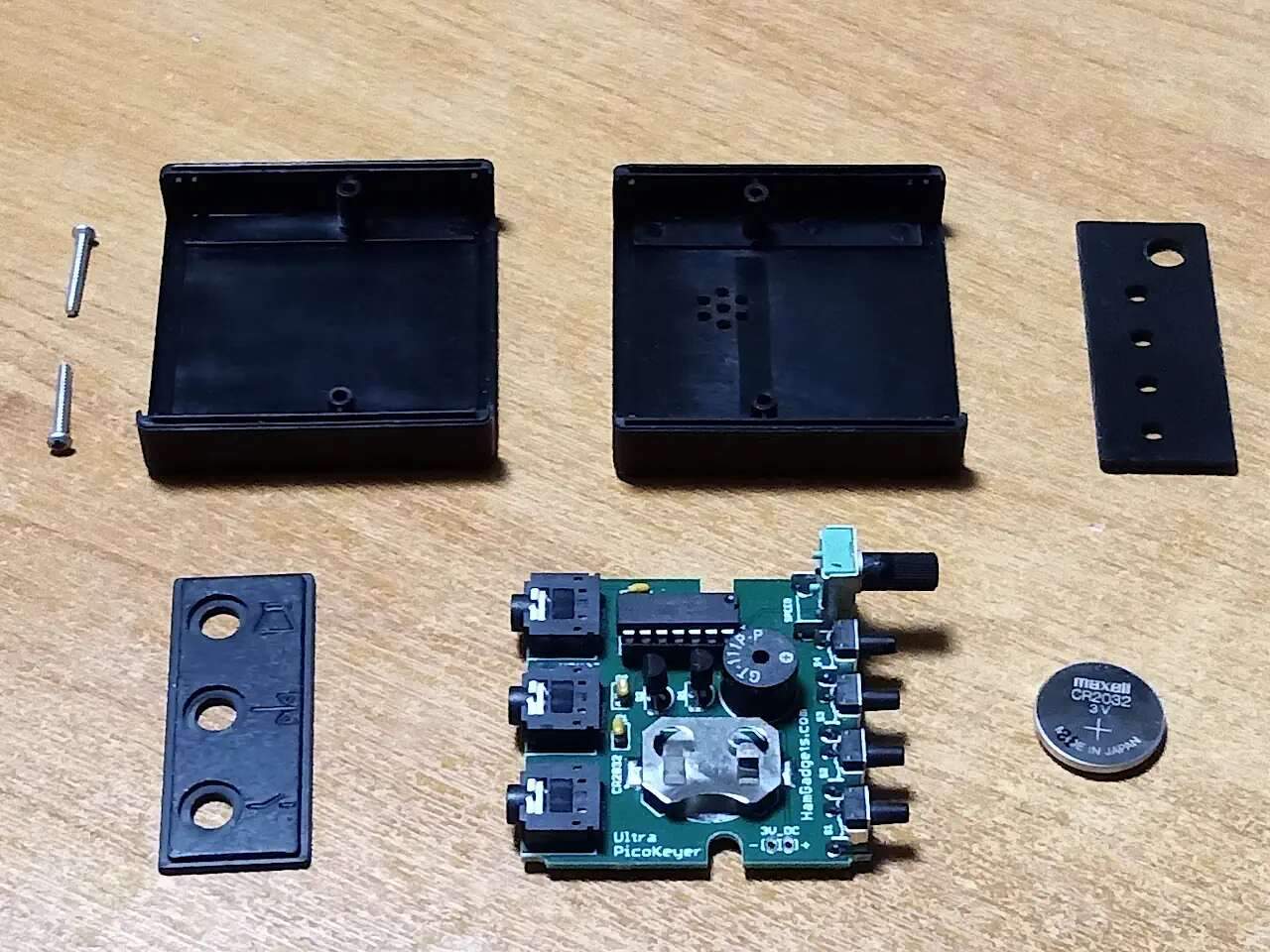
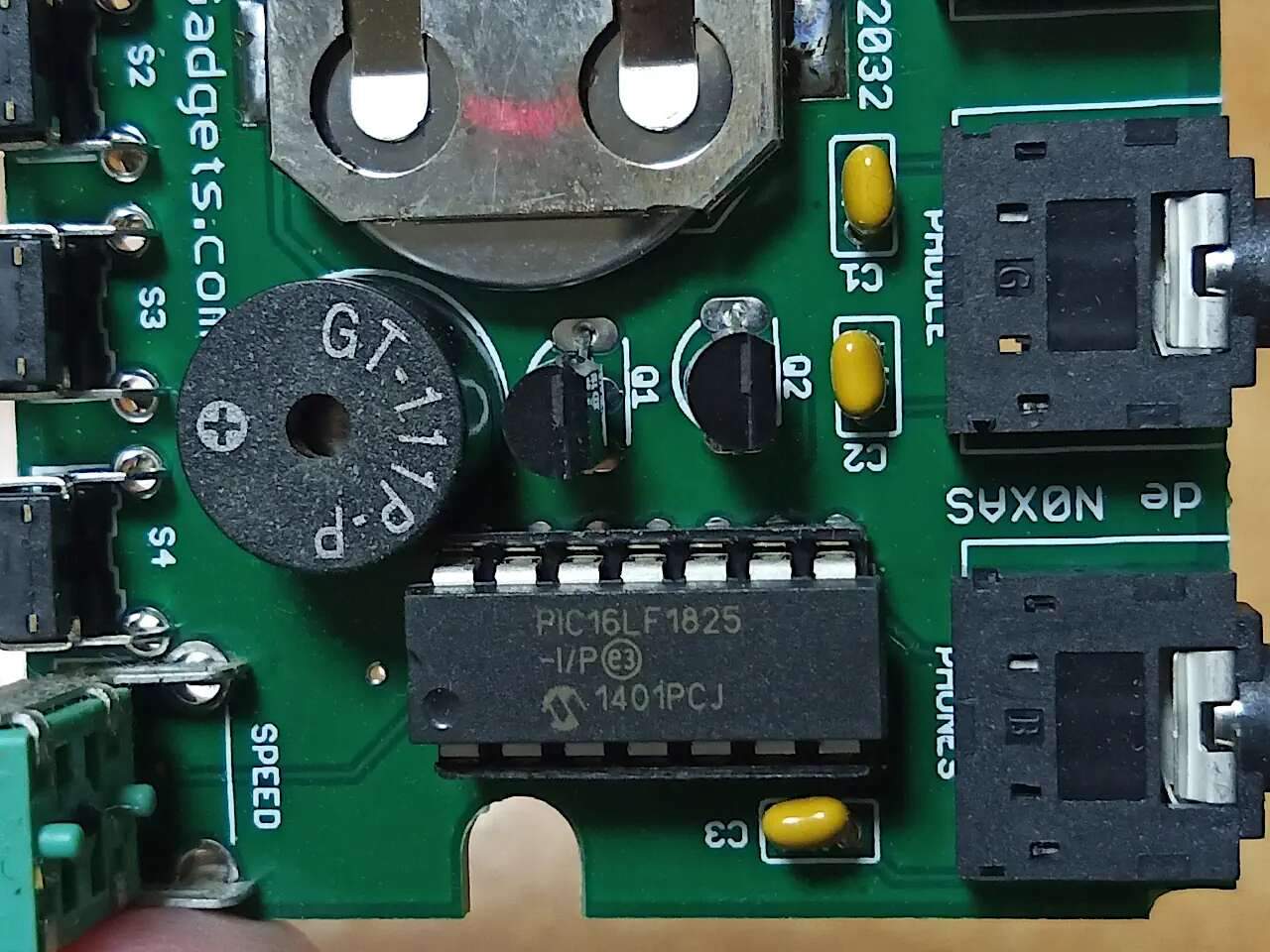
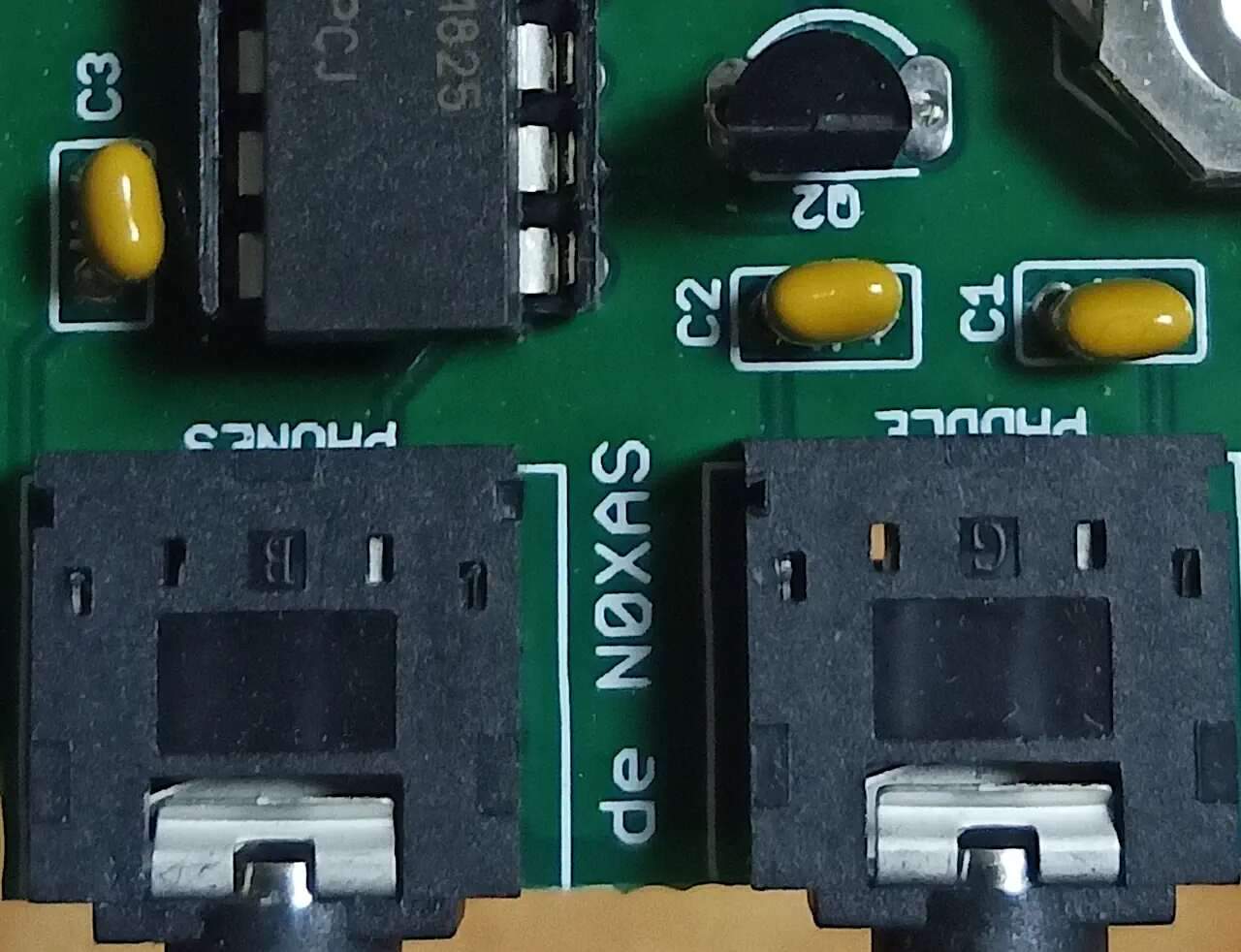
Photos of disassembled HamGadgets Ultra Pico Keyer:

(Click on the picture to enlarge).
picokeyer_view1
picokeyer_view2
picokeyer_view3
picokeyer_view4
picokeyer_view5

.


Related publications