


19
September
2022
Fixing the error sending mail "not local sender over smtp"
13:08

Fixing the error sending mail "not local sender over smtp"

19 September 2022 13:08

When sending mail via SMTP from a mailbox to Rambler, the error "not local sender over smtp" began to appear. Searching the Internet for information on this problem did not bring an answer. I had to solve the problem myself, which I did.

Description of the problem

Through the web interface, logging into the mailbox and sending a test letter were completed successfully. ---
However, when using the Mozilla Thunderbird program, a problem arose.
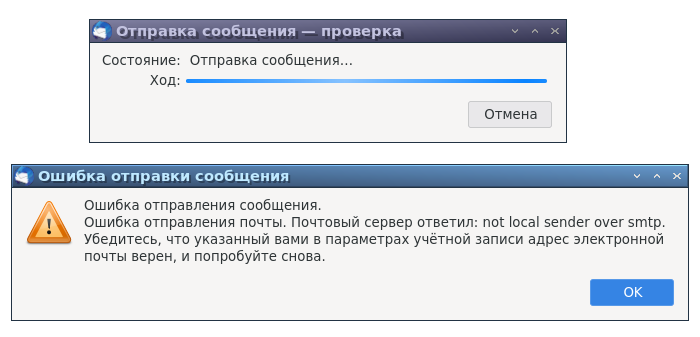
The server could not send mail.

The mail server replied: "not local sender over smtp".

SMTP error

I checked the settings in accordance with Help Rambler mail "How to configure Mozilla Thunderbird". It didn't help.

Solution

1) First of all, you need to delete the existing rambler.ru: mail configuration.

*Edit - Account Settings

  • Select your mail account (your_name@rambler.ru),

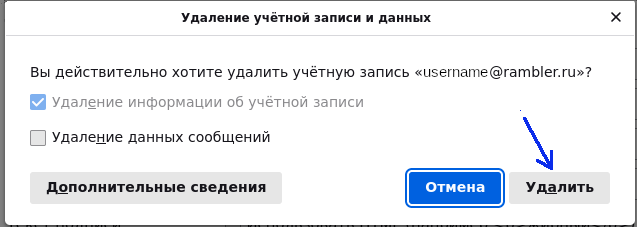
  • In the "Account Actions" list, activate the item "Delete account".

Allow deletion of account information (do not check the "Delete message data" checkbox!).
Click on the "Delete" button.
delete_account
A message indicating successful deletion will appear.

2)Add rambler mail account,

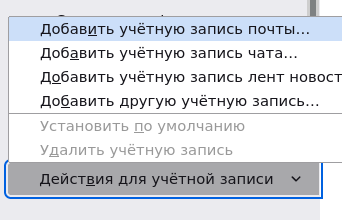
in the same menu *Edit - Account Settings select from the list "Add a mail account"
List

3)Enter your name and your email address, like your_name@rambler.ru

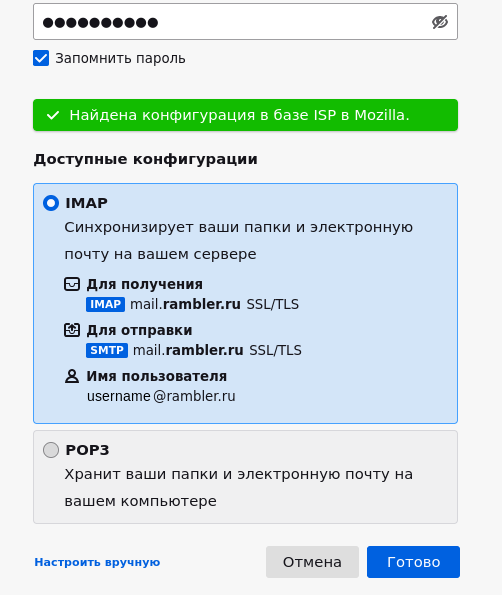
after pressing the "Continue" the screen will jerk down and a green banner will appear "Configuration found in Mozilla ISP database".
Continued
It’s too early to rejoice, because... the configuration needs to be corrected. ;)

(If you look closely, the configuration is incorrect. You need to correct it manually.
Otherwise, after clicking “Finish” there will be an endless connection and password verification).
infinity

Parameter Invalid value Needs to be corrected to...
To receive IMAP mail.rambler.ru IMAP imap.rambler.ru
To send SMTP mail.rambler.ru SMTP smtp.rambler.ru


4) To do this, click the link at the bottom of the window "Configure manually"
manual_settings

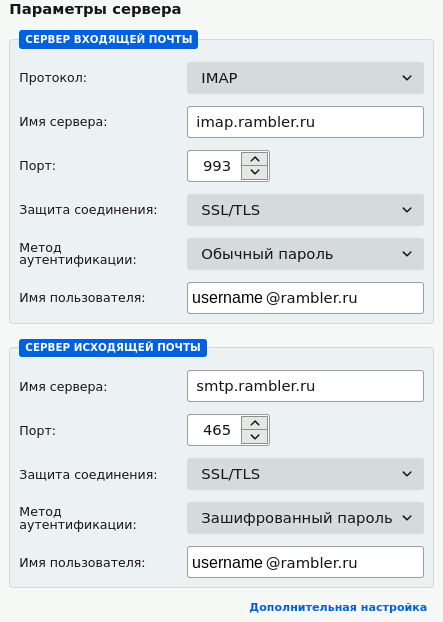
5) Fill in the parameters in accordance with the table above, as in the picture:
nastr1

Incoming mail server
Protocol IMAP
Server name imap.rambler.ru
Port 993
Connection protection SSL/TLS
Authentication method normal password
Username your_name@rambler.ru (where instead of "your_name" indicate the user name in Latin)
Outgoing mail server
Server name smtp.mail.ru
Port 465
Connection protection SSL/TLS
Authentication method encrypted password
Username your_name@rambler.ru (where instead of "your_name" indicate the user name in Latin)

6) Click the button "Test", if button Done not available.
7) A message will be displayed on a green background "When checking the specified server, the following settings were found".
green

Correct the SMTP section fields, if they have been partially cleared or the values have changed to others, as in the tables above.

Now press the button Done.

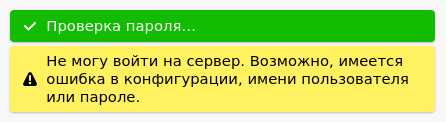
If the message is displayed "I can't log into the server",
error333
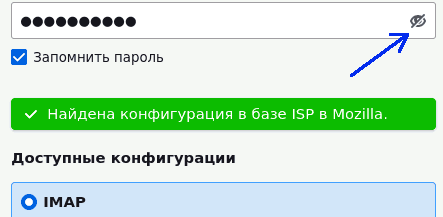
you need to check the entered password. by clicking on the "Eye" icon in the password entry window.

Eye when entering password

When you correct the password, the server settings fields will be cleared. Therefore, you will need to repeat points 4 and 5.

Also, I often had settings reset after pressing the button "Test".
In this case, we correct the settings as indicated above, paying special attention to the parameters of the outgoing mail server.

Pressed the button again Done. etc. - correct the settings and press the button Done. We continue this way until the error disappears.

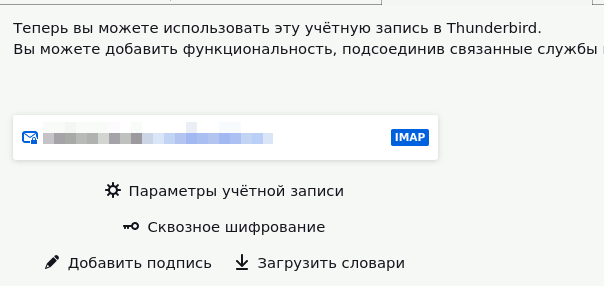
8) Finally, Rambler mail will be added to Mozilla Thunderbird and a message will be displayed about success.

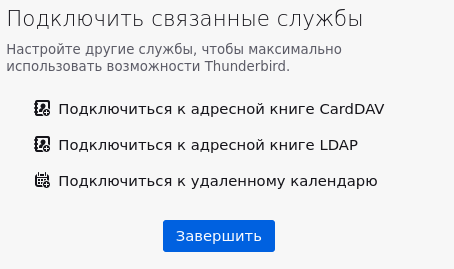
Finish

Click the button at the bottom of the window "Finish".
done

Rambler mail has been successfully added to Mozilla Thunderbird.

9) Check the e-mail operation and send the letter to yourself.

Create a message, enter your e-mail address and fill in the subject and content of the message.
test_email

Press the button "Send".
send_email

There is no more error:
test_ok

Conclusion

After deleting and adding a mail account, the error "not local sender over smtp" went away.