16
January
2024
10:58

Bat file for updating the CRL list of certificates

16 January 2024 10:58

Under Windows when the list of recalled certificates is obsolete when checking electronic signatures in "Cryptoarm 5" there may be a warning that the CRL list is not relevant, so I came up with a solution.

Introduction

CRL - Lists of prematurely recalled certificates of electron -digital signatures are certified by certifying centers.
CRL is deciphered as Certificate Revocation List. The list of withdrawn certificates is a mandatory part of the PKI infrastructure (trusted encryption keys), because An early replacement of the electronic signature key could occur due to its breakdown or compromise (for example, loss), or the death of the owner. Review of the certificate will not allow the use of EDS to attackers.

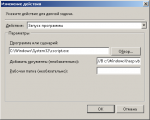
The CRL list needs to be updated quite often - I set up the planner for the daily launch of the update in the morning. Since only with the current CRL list, protection against stolen or lost, blocked other people's keys is effective.

CRL lists:

  • Register Reestr-pki.ru
  • "Rostelecom" rostelecom.ru and company.rt.ru

The task is to upload a file from one of these sites and import into a group of certificates "revoked" .

Certificates management using a graphic interface (mmc.exe - equipment "certificates") is not convenient, because Requires user participation. The BAT file is launched along the planner of tasks in the morning.

What will be required to launch a BAT file:

1) The command file can work in operating systems:

  • Windows 7 SP1
  • Windows 10 versions 1507 or higher
  • Windows 11
  • Windows Server 2022, Windows Server 2019, Windows Server 2016, and Windows Server 2012 R2.

2) the installed free utility GNU WGET for Windows - version WGET-1.11.4-1-Setup.exe или другая. Gnu Wget можно скачать на сайте SourceForge -Gnu Wget для Windows
3) a command line certmgr.exe from a package Windows SDK. For ease of launch, I copied the CertMgr.exe utility into the folder where the command file is *. BAT.

Preparation

On the hard drive, I created the C: \ CRL folder (the name can be anything, you need to fix the BAT-file text) into which I posted a text command file and placed the CertMgr.exe program from the Windows SDK package.

Near the BAT file there are three lists of the URL lists of recalled certificates - List1.txt, List2.txt and List3.txt

The contents of the text command BAT file for updating CRL

@Echo off for /f %% g in (list1.txt) do call: s_subrautine %% g g GOTO: Eof :: S_SUBROUTINE Echo Start: %1 "C: \ Program Files (X86) \ WGET \ BIN \ WGET.exe" %1 --outPut-Document C: \ CRL \ TEMP.crl C: \ Crl \ Certmgr.exe /Add C: \ Crl \ Temp.crl /S CA Echo Finish! Echo: Echo: Del C: \ Crl \ Temp.crl GOTO: EOF The input cycle indicates the input file with a certificate list: List1.txt) I have three file versions - List1.txt, List2.txt and List3.txt ### Files with URL lists of the CRL called certificates Content ** LIST1.TXT **:
 http://reestr-pki.ru/cdp/guc.crl
http://reestr-pki.ru/cdp/guc_gost12.crl
http://reestr-pki.ru/cdp/vguc1_3.crl
http://reestr-pki.ru/cdp/vguc1_4.crl
http://reestr-pki.ru/cdp/vguc1_5.crl 

Content ** LIST2.TXT **:
 http://rostelecom.ru/cdp/guc.crl
http://rostelecom.ru/cdp/guc_gost12.crl
http://rostelecom.ru/cdp/vguc1_3.crl
http://rostelecom.ru/cdp/vguc1_4.crl
http://rostelecom.ru/cdp/vguc1_5.crl
 Pre>

Content ** LIST3.TXT **:
 http://company.rt.ru/cdp/guc.crl
http://company.rt.ru/cdp/guc_gost12.crl
http://company.rt.ru/cdp/vguc1_3.crl
http://company.rt.ru/cdp/vguc1_4.crl
http://company.rt.ru/cdp/vguc1_5.crl 

### Where to get CertMgr.exe?

The certificate dispatcher is installed along with the ** SDK package for Windows 10 **.

The executed file is located in Windows 10 along the way
 **%programfiles (x86)%\ Windows Kits \ 10 \ Bin \ 10.0. Version_sdk.0 \ ARM64 \ CertMGR.EXE. ** 

Pages for loading SDK:
1. 1.[Windows SDK loading](https://learn.microsoft.com/ru-ru/windows/apps/windows-app-sdk/downloads) 
2. 2.[Windows SDK (10.0.22621) for Windows 11, Version 22H2](https://developer.microsoft.com/en-us/windows/downloads/windows-sdk/) 

### CertMGR documentation

*[Certmgr.exe (certificate dispatcher)](https://learn.microsoft.com/ru-ru/dotnet/framework/tools/certmgr-exe-certificate-manager-tool) 


Related publications