15
May
2020
Managing a transceiver in Linux
14:44

Managing a transceiver in Linux

Using a amateur radio station without a computer is almost unthinkable - even SSB and CW contacts require registration in a radio log. Linux is actively developing radio control using a computer. This review article is about interfaces and programs for working as a transceiver (transceiver) in Linux.

Almost all modern amateur radio programs for a computer require an interface for controlling a transceiver (in amateur radio jargon, a radio installation that combines a receiver and a transmitter is called a “transceiver”) via a COM port, physical or virtual. All modern transceivers have a serial port for controlling them using CAT commands (and not just switching for transmitting/receiving (ON/OFF) using +5 Volts). Using commands and requests from the computer in the transceiver, you can read or write settings, switch to transmitting or receiving:
*VFO frequency*(Variable Frequency Oscillator) - frequency of a variable frequency generator when manually tuning a radio station
transmission mode(AM/FM/USB/LSB/PKT/DIGI)
transmission control— pressing the PTT button using a command via the CAT interface.
enabling ATT (attenuator)- to reduce an excessively high signal level from the antenna before feeding it to the receiver input.
setting up filters- to improve reception intelligibility in difficult conditions.
select VFO A or VFO B**- choice of receiver, which can be useful for “split” operation, i.e. when the reception and transmission frequencies do not match. Useful for working with long-distance (DX) correspondents who call on one frequency and are answered by many stations in the 0...+5 kHz range with CW.

Бибlibrary, or rather an entire software platform or framework,HamLib can control not only one, but several transceivers (if the radio amateur has them) - for example, in some programs there is a choice of Radio1 and Radio2. For example, Radio1 is for short waves 1.9/3.5/7/10/14/18/21/24.9/28 MHz, and Radio2 is for 144/433/1296 MHz. In turn, each radio has two smooth band generators VFO1 and VFO2, when operating in split mode or via satellites (A / B). All this is managed by HamLib.

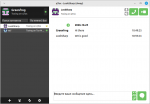
Grig the picture above shows the interface of the grig program for controlling the radio station. Uses hamlib. You can change the frequency by direct input using the ENT button or using the left and right mouse buttons.

Running grig for Yaesu FT-857:

grig -r /dev/ttyUSB0 -m 122 -s 4800

keys:

  • -r from the word rig indicates the serial port to which the transceiver is connected,
  • -m from the word model - the model number of the radio station from the list of supported HamLib,
  • -s from the word speed - the speed of the serial port to which the transceiver is connected.

In addition to transceivers, HamLib can “communicate” with rotary device controllers for directional VHF antennas (rotators or “rotors”). The list of controllers supported by the HamLib library is on the page https://github.com/Hamlib/Hamlib/wiki/Supported-Rotators

Why is RIGCTLD needed? When running several programs (soundmodem, gpredict, wsjtx, xlog, fldigi) that use CAT (computer aided transmission) at the same time, a conflict arises: one of the programs takes control, completely occupying the COM port, the rest stop working - either do not start or freeze.

КонOf course, you can use the programs one by one: for example, in exclusive mode, run wsjtx for FT8, then upload the log from it to an ADIF file, close wsjtx and run another program - the CQRLOG connection log, load ADIF into it. then close everything, open FLDIGI for PSK31. :-)

The option with digital VOX (switching on the transmission when a signal appears) is not convenient because it is necessary to adjust the sensitivity level of the transmission, which depends on the level of the input signal. The second disadvantage of VOX is that in the transmitting program the indication of frequency, type of modulation and even range is lost, which may be incorrectly recorded in the contact log.

Thus, HamLib and RIGCTLD are needed and should work together.

  • HamLib - library with extensive list of models supported radio stations - 214 models in version 4.2, 264 models in versions 4.3 and 4.4 and 283 models in version 4.5, takes into account the command system for each radio station and converts them to the standard form adopted for hamlib. Website: https://hamlib.github.io/
  • RigCtlD service, which can serve requests from several programs to HamLib. RIGCTLD is network service(provides the ability to remotely control the transceiver via TCP-IP both on one computer via localhost and on different PCs).

In addition to these two programs, there is a graphical interface for controlling the transceiver, called FLRIG (from the fldigi program set). You can configure FLRIG to control the transceiver through HamLib commands, and fldigi to call flrig for control.

flrig

Chain:radio amateur →PC→ fldigi → flrig → hamlib → CAT interface → transceiver →antenna.
FLDIGI works great through FLRIG, but WSJTX (when selecting the “Flrig Flrig” transceiver) not so much.

You can check that your transceiver supports HamLib on the page https://github.com/Hamlib/Hamlib/wiki/Supported-Radios

Like the Apache web server and the GIMP graphic editor, the HamLib library exists not only for Linux, but also for Windows.

List of programs that can access radio stations using HamLib:

  1. FLDIGI (см. http://www.w1hkj.com/FldigiHelp/rig_config_page.html)
  2. WSJTX home page https://physics.princeton.edu/pulsar/K1JT/wsjtx.html
    1. Gpredict (with settings menu Interfaces - Radios)
    2. RotCTL (from the gpredict package in the Interfaces - Rotators menu)
    3. rotctld (TCP network service based on RotCTL)
    4. rigctl (a utility for controlling transceivers from the command line)
    5. rigctld (network service for managing transceivers via TCP-IP with rigctl command syntax)
    6. rigmem (backup and restoration of transceiver memory)
  3. CQRLOG (тема https://forum.qrz.ru/33-apparatnye-zhurnaly/45242-cqrlog-dlya-linux.html)
    1. grig (graphical interface for controlling the transceiver using hamlib)
      11.QSSTV
      12.FreeDV

The RIGCTLD service is designed to service requests from several programs to HamLib, to avoid conflicts due to exclusive use of the COM port. We can say that RIGCTLD in Linux is an analogue of OmniRIG in Windows, but with a difference - it is not a program, but a service (daemon). RIGCTLD is a network service that operates over the TCP protocol (sockets).

Source:https://www.mankier.com/1/rigctld#Description

List of programs that can work with rigctld via TCP-IP protocol

  1. rigctl (утилита командной строки для управления трансивером, http://manpages.org/rigctl)

    1. gpredict (analogous to Orbitron, can connect to the rigctld 4532 port of any PC)
  2. rigctl-wsjtx (специальная версия rigctld сервера для WSJTX) https://www.mankier.com/1/rigctld-wsjtx

    1. WSJTX (when selecting the “network” radio “Hamlib Net rigctl”, see the point above.
  3. rigctlcom (эмуляция трансивера TS-2000 для вашего радио) https://www.mankier.com/1/rigctlcom

  4. PAT (программа для электронной почты на коротких волнах см. http://www.winlink.org/)

  5. CubicSDR (кросс-платформенное Software Defined Radio) - https://cubicsdr.com/

List of programs that can communicate with Flrig

  1. Fldigi (полная поддержка) http://www.w1hkj.com/
    1. WSJTX (partial support when choosing a transceiver "Flrig Flrig" - PTT does not work)

Installing HamLib library

НомThe latest Hamlib release is version 3.1. Hamlib version 4 is planned for release, but it has not been released (yet) and there is nothing to discuss.

From the Linux Mint/Debian/Ubuntu repositories you can install
libhamlib2 and libhamlib-utils latest version 3.1-7build1,
therefore there is no need to use external repositories or git,
everything is installed as usual:

sudo apt-get install libhamlib2 libhamlib-utils

or simply:

sudo apt-get install libhamlib-utils

(will install libhamlib2 via dependencies).


Command to check connection to transceiver using HamLib

rigctl -r /dev/ttyUSB0 -m 122

where:

Source:https://github.com/Hamlib/Hamlib/wiki

Installing rigctld

su -
apt install libhamlib-utils

List all files in a package:

dpkg -L libhamlib-utils

/usr
/usr/bin
/usr/bin/rigctl
/usr/bin/rigctld
/usr/bin/rigmem
/usr/bin/rigsmtr
/usr/bin/rigswr
/usr/bin/rotctl
/usr/bin/rotctld
/usr/share
/usr/share/doc
/usr/share/doc/libhamlib-utils
/usr/share/doc/libhamlib-utils/copyright
/usr/share/man
...

The program is installed in the directory /usr/bin/rigctld

The rigctld service is started from the command line with parameters.

rigctld [-hlLouV] [-m id] [-r device] [-p device] [-d device] [-P type] [-D type] [-s baud] [-c id] [-T IPADDR] [-t number] [-C parm=val] [-v[-Z]]

(see below for usage example)


Documentation:
https://manpages.debian.org/stretch/libhamlib-utils/rigctld.8.en.html

Command to check with rigctl the connection to the transceiver using RigCTLD
(source http://vk4tmz.blogspot.com/2018/07/gpredict-radio-control-ft991a-via.html)

rigctl -m 2 -r localhost:4532 m

where -m 2 is the numeric code of the transceiver model when working via HamLib,
-r localhost:4532 - connect to the RigCTLD service on the local PC, default port 4532
m - command to read VFO frequency (get_mode).

Baud rate, transceiver model and other parameters are omitted. because the connection occurs through rigctld, in which it is configured.

Before this, you need to install and configure the rigctld daemon on the localhost computer.

rigctld -vvvvv -r \\.\ttyUSB1 -m 135 -s 4800 -t 4532 -C "serial_speed=4800,stop_bits=1,rts_state=ON,dtr_state=OFF,serial_handshake=None" 

The RIGCTLD parameters, both in Windows and in Linux versions, must be passed in the startup line, as in the example. If an error is made, such as a non-existent transceiver model 135, an error message will be displayed. To view the settings, call the service with the -L switch.

Analogue RIGCTLD = RIGCTLCOM

A program that replaces RIGCTLD and allows multiple connections to the transceiver of different programs is called RIGCTLCOM. Posted by Mike W9MDB

This program is needed for programs that do not know about the existence of rigctld or FLRig, for example, MMTTY or other programs from Windows that can even be launched through Wine.

RIGCTLCOM emulates the Kenwood TS-2000 transceiver:

It is a TS-2000 emulator that will allow programs that don't know FLRig or rigctld to talk to those two programs.

App->COMX->COMY->rigctlcom->rig

This will allow you to run, for example, N1MM and WSJT-X both accessing your rig through FLRig or rigctld.

Should also work with MMTTY or any other such program.

Does not quite work yet with WSJT-X but WSJT-X can connect to rigctld or flrig so it's not really needed there.

You'll have to install WSJT-X if you don't already have it. And using FLRig will easily allow multiple programs to connect to your rig so install that too.

It will also allow multiple connections with rigctld as the primary rig if you want to go that route.

1.Create a bridged serial port pair. e.g. COM9/COM10

2.Run rigctlcom to connect to FLRig (or rigctld) and one of the virtual COM ports...e.g. COM9 rigctlcom -m 4 -r 127.0.0.1:12345 -R COM9 -S 115200

3.Run your other program, e.g. N1MM and connect it to the other COM port...e.g. COM10 as a TS-2000 8-N-1 115200baud

4.If you want to run multiple programs via COM ports you'll need another instance of rigctlcom for each app that needs a COM port.

de Mike W9MDB

In Linux, creating and binding virtual COM ports is possible from the command line using the command socat

Example:

socat PTY,link=/dev/ttyS10 PTY,link=/dev/ttyS11

Source:https://stackoverflow.com/questions/52187/virtual-serial-port-for-linux


Related publications