
9
June
2022
The fastest Linux distributions for netbooks and weak PCs
17:15

The fastest Linux distributions for netbooks and weak PCs

9 June 2022 17:15

Most netbooks and many laptops have a small amount of RAM or a weak processor. Therefore, they often put Linux to make them work faster. The article is devoted to the testing of the OS.

Testing methodology

Testing was carried out on the same laptop AMD E-350 /6 GB of RAM.
The virtual machine after testing with all files was deleted.

Distributions I alternately launched in a virtual machine Oracle VM VirtuaLBOX version 6.1.34
with plugin oracle Virtualbox Extension Pack 6.1.34r150636.
The tested OS installed 30 GB on a dynamic VDI ​​disc. System for contacting the PIX3 disk.
The Internet was disabled.

  1. The time loading time was measured at the size of the RAM = 2 GB, 1 GB; 768, 512 and 256 MB
  2. Using RAM for RAM = 2 GB
  3. Using RAM for RAM = 1 GB
  4. Using RAM for RAM = 512 MB
  5. Mozill browser launching speeda Firefox for RAM = 1 GB and 512 MB.

Runtu Lite 20.04.1 x64

https: //runtu.org/

Russian distribution based on Ubuntu, designed for training and home PCs.
Window manager - Openbox, desktop manager - Lightdm.
The core during testing - by default, default installation.
Automatic entrance to the OS.

  1. OS launch time, minutes, seconds:
    | 2048 | 1024 | 512 | 256 |
    | 1:03 | 1:04 | 1:05 |kernel paNic |
  2. At 2 GB employed: 232, freely 1472, buffers 282, pumping 0.
  3. At 1024 MB is busy: 232, freely 464, buffers 284, pumping 0.
  4. At 512 MB is busy: 240, freely 11, buffers 225, swing 1.
  5. Start Mozilla Firefox: 13 seconds and 13 seconds and 20 seconds.

The installation mode "only free software"

  1. OS launch time, minutes, seconds:
    | 2048 | 1024 | 512 | 256 |
    | 1:18 | 1:04 | 1:05 | Not checked |
  2. At 2 GB busy: 239, freely 1459, buffers 282, swing 0, accessible 1602.
  3. At 1024 MB is busy: 232, freely 463, buffers 285, swing 0, accessible 606
  4. At 512 MB is busy: 230, freely 18, buffers 229, swinging 1, available 232
  5. Start Mozilla Firefox: 22 seconds and 22 seconds and 24 seconds.

Ubuntu 21.04 x64

https://ubuntu.com/

Classical District on a package basis Debian, разработанный фирмой CanonicaL,
mainly for desktop PCs - workstations. Also, there is an installation option for a server.

When installing the workstation, the option "Minimum installation (browser and main utilities) was selected."
The size of the occupied space on the disk after the minimum installation is 6.1 GB.

  1. OS launch time, minutes, seconds (standard shell):
    | 2048 | 1024 | 512 | 256 |
    | 1:34 | 1:35 | 2:18 |kernel paNic |
  2. At 2 GB busy: 565, freely 665, buffers 748, swing 0, accessible 1251.
  3. At 1024 MB is busy: 548, freely 93, buffers 330, picking 1, 270 is available.
  4. At 512 MB is busy: 298, freely 29, buffers 140, swing 316, available 151.
  5. Start Mozilla Firefox: 24 seconds and 26 seconds and 32 seconds.

    ubuntu xfce4

In the UBUNTU OS 21, X64 installed the XFCE desktop using the command:

sudo apt-get install xfce4

Then he made it by default: he completed the session (exit) and chose XFCE in the list at the entrance.

  1. OS launch time, minutes, seconds (standard shell):
    | 2048 | 1024 | 512 | 256 |
    | 1:20 | 1:20 | 1:32 |kernel paNic |
  2. At 2 GB employed: 564, freely 941, buffers 472, swing 0, available 1269.
  3. At 1024 MB is busy: 560, freely 58, buffers 353, swing 1, available 273.
  4. At 512 MB is busy: 330, freely 4, buffers 133, swing 262, 125 is available.
  5. Start Mozilla Firefox: +2 seconds.

Linux Mint 19.3 "Tricia" XFCE

https: // linuxmint.com/

One of the most popular is not today versions of Linux OS for work and home use. Support until 2023.
Ubuntu Bionic package. Version 19.3 offers the latest version of the XFCE 4.14 desktop and improved equipment support, but compared to 20.3 more "light". Supports all the functions of a modern OS. It occupies 6.9 GB on a disk.

  1. OS launch time, minutes, seconds:
    | 2048 | 1024 | 512 | 256 |
    | 1:09 | 1:09 | 1:09 | kernel panic |
  2. At 2 GB employed: 383, freely 1320, buffers 286, swing 0, available 1458
  3. At 1024 MB is busy: 381, freely 313, buffers 288, swing 0, available 456.
  4. At 512 MB is busy: 336, freely 12, buffers 130, swing 46, is available 124.
  5. Start Mozilla Firefox: 10 seconds and 10 seconds and 19 seconds.

Linux Mint 20.3 "Una" XFCE

https: // linuxmint.com/

The most popular Linux OS version for work and home use today. Supported until 2025.
It features a newer Ubuntu Focal package base, a newer 5.4 kernel, and support for new hardware, such as AMD Radeon Vega and USB 3.2. (For older PCs, new drivers are of little use.) The operating system takes up 7.7 GB of disk space.

  1. OS launch time, minutes, seconds:
    | 2048 | 1024 | 512 | 256 |
    | 1:30 | 1:34 | 2:06 |kernel paNic |
  2. At 2 GB employed: 440, freely 1175, buffers 371, swing 0, available 1399
  3. At 1024 MB is busy: 439, freely 165, buffers 375, swing 0, accessible 398.
  4. At 512 MB is busy: 359, freely 4, buffers 113, tackle 86, 104 is available.
  5. Start Mozilla Firefox: 11 seconds and 12 seconds and 24 seconds.

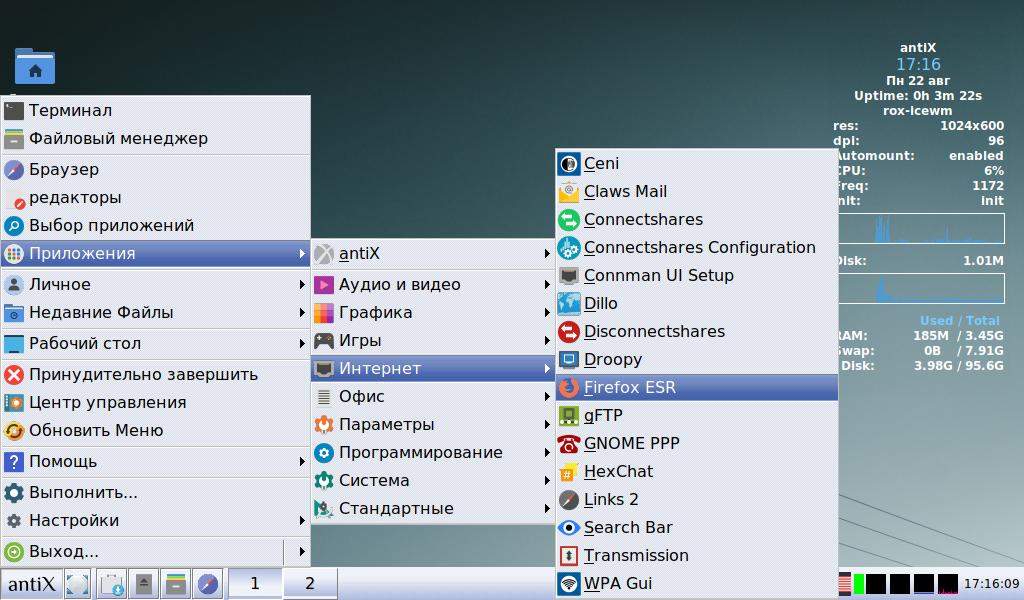
antiX 21 "Grup Yorum" X64

https: //antixlinux.com/

OS based on Debian, relative of MX Linux. It differs from the last minimalistic design, a large readable font, the ability to quickly change your desktop, the Resistant Start menu and low hardware requirements. The operating system is partially translated into Russian (Russified), also supports autologon (automatic entrance to the user profile after turning on the computer). There are all the necessary programs (web browser, office, recording CD).

  1. OS launch time, minutes, seconds:
    | 2048 | 1024 | 512 | 256 |
    | 0:44 | 0:44 | 0:45 | 0:45 |
  2. At 2 GB employed: 135, freely 1645, buffers 202, swing 0, available 1709
  3. At 1024 MB is busy: 135, freely 638, buffers 203, swing 0, available 707.
  4. At 512 MB is busy: 134, freely 136, buffers 203, swing 0, 326 is available.
  5. At 256 MB is busy: 132, freely 8, buffers 81, swing 2, available 81.
  6. Start Mozilla Firefox: 12 seconds and 12 seconds and 12 seconds and 42 seconds (75 MB goes to SWAP).

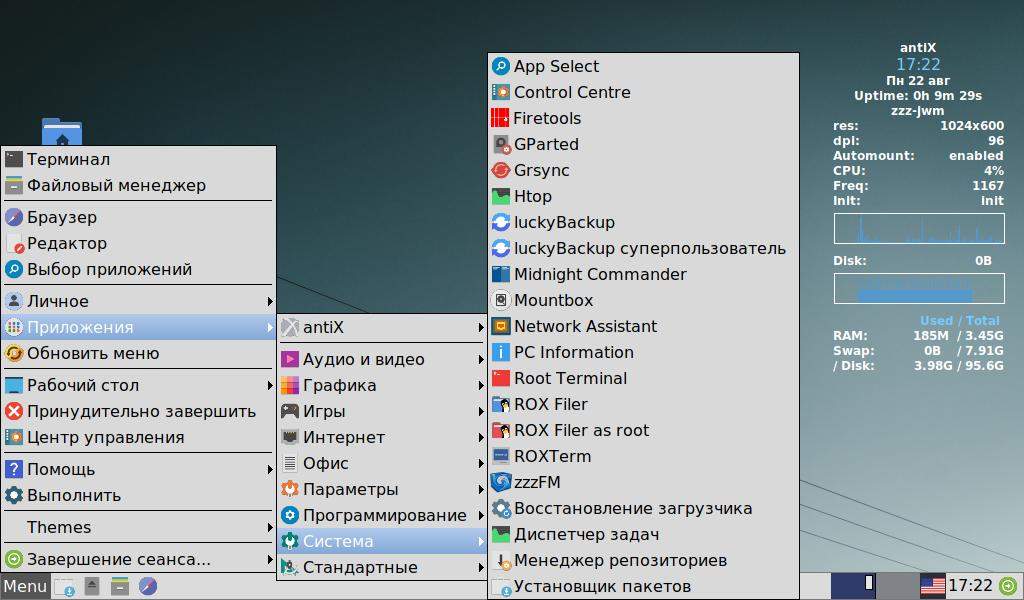
Desktop environment by default ICEWM, but you can change it to JWM or Fluxbox. The differences between them are as follows:

1) Icewm - the most beautiful and balanced
2) JWM - a simplified ICEWM design option without compromising functionality.
3) Fluxbox - an alternative shell without the Start menu (caused by the right button.

  • Icewm (by default, it is also Rox-Icewm) - the starting menu in the style of Windows 7 (often launched programs at the top, recent files and menu "Applications" + menu of user programs). Balanced appearance. RAM consumption: ~ 220 MB. Unfinished file manager ROX.
  • minimal icewm - it is also Icewm, the side widget shows the loading of RAM and the processor
  • zzz-icewm - the same as Icewm, convenient file manager ZZZFM. RAM 225 MB. I recommend it!

  • JWM - Compared to Icewm, it has a more compact look. RAM Required: 157 MB. According to the author, it has no memory leaks and is very reliable. Default file manager Rox-Filer (not convenient), unlike the option zzz-jwm.
  • rox -jwm - The same as JWM.
  • minimal JWM - in JWM side widget Conky is disabled, showing RAM and CPU usage. RAM consumption: 149 MB. File manager Rox-Filer (not convenient).
  • zzz-JWM - the same as JWM, zzzFM is used as a file manager, similar to Thunar, but with less memory consumption. RAM is used: 164 MB. I recommend a lack of RAM!

  • Fluxbox - Fluxbox shell without the Start menu. The program menu is called the right mouse button. Reduced fonts (to save space), the shell is simple and utilitarian. ROX-FILER file manager (not convenient). RAM: 224 MB
  • Rox -Fluxbox - the same as Fluxbox. Rox-FILER Unsuitable file manager.
  • minimal -Fluxbox - the same as Fluxbox, a side widget is disabled, showing the loading of RAM and the processor
  • zzz-fluxbox - Fluxbox shell with zzzFM file manager - convenient and lightweight, in the style of Thunar. RAM usage 225 MB. I recommend it if you like the mode without the Start menu!

The desktops can be changed "on the fly" using the menu "Desktop" - "Other desktops".

The first level of the Start menu in antiX not translated - Terminal, File Manager, Web browser etc.
Setting up the appearance (change of wallpaper) is carried out using "CONTROL CENTRE".
Change of topics also on the fly - "settings" - "topics".

Examples of desktop:
antiX icewm:
Icewm

antiX jwm:
JWM

antiX Fluxbox::
Fluxbox

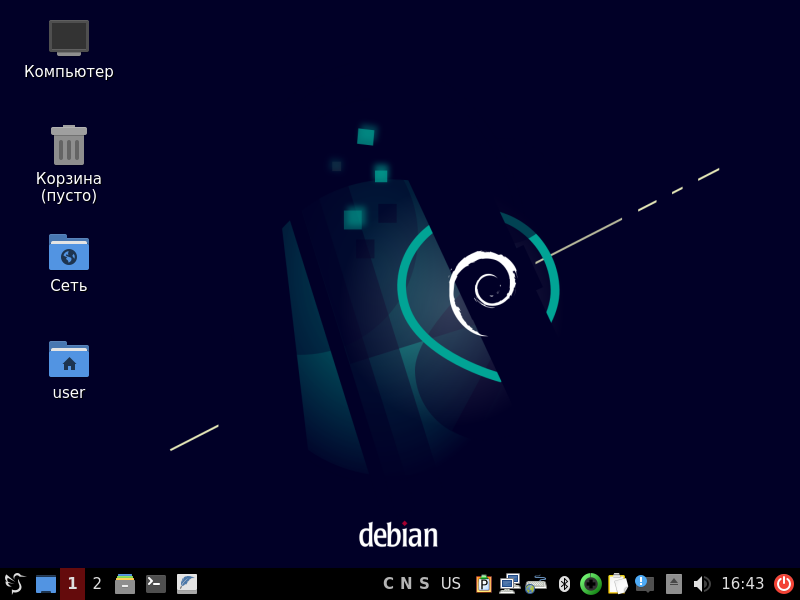
Debian 11 Bullseye

https://debian.org/

The DEBIAN distribution is, in fact, the Linux industrial standard for private servers. Optimization of performance is possible when choosing various configuration options (setting a limited, aimed at specific tasks of components). In this I consider the full installation - with a graphic interface.

Kernel 5.10.0.13
The start time from the inclusion to the appearance of the desktop at 2048 MB:

  1. OS launch time, minutes, seconds:
    | Cinnamon | 2:22 |
    | Gnome | 2:12 |
    | LXDE | 1:22 |
    | Mate | 1:10 |
    | Openbox | 1:08 |
    | KDE Plasma| 2:46 |
    | Gnome Classic | 3:03 |
    | LXQT / OpenBox | 2:00 |
    | XFCE | 2:10 |

  2. With RAM 2 GB:

    • Cinnamon: employed 704, freely 650, buffers 627, swing 0, available 1118
    • Gnome: busy 1043, freely 312, buffers 617, swing 0, 787 is available
    • Lxde: busy 477, freely 976, buffers 529, swing 0, available 1359
    • Mate: employed 561, freely 863, buffers 558, affordable 1270
    • Openbox: busy 419, freely 1038, buffers 534, available 1427
    • KDE PLasma: employed 803, freely 474, buffers 704, available 1009
    • Classic Gnome: busy 987, freely 334, buffers 661, available 842
    • LXQT: busy 636, freely 754, buffers 591, available 1197
    • XFCE: Studied 645, freely 974, buffers 558, accessible 1190.

Heavy, unrealistic shells for Debian: Gnome Classic, Gnome, KDE Plasma и Cinnamon.
In the middle: LXQT and XFCE (appearance differs significantly from XFCE in Xubuntu and Linux Mint XFCE, because the OpenBox window manager is used instead of the XWF4 manager in XFCE).
The fastest and most sensitive to user actions: Debian 11 Mate, DebiaN 11 LXDE, with a simple laconic interface.

Note:
Comfortable OS for weak PCs include OS derived from Debian:Sparky Linux and MX Linux. Both OS can be translated into mode "rolling-release" for constant updates to new versions of packages when using Testing (SID) repositories. However, they are in system requirements closer to the distributions of the main use of "medium weight".


Conclusion: Five the fastest Linux OS for weak PCs:

  1. antiX 21 "Grup Yorum" - launch in 44 seconds, 1709 MB is available
  2. Runtu Lite 20.04.1 x64 - launch 1 minute 03 seconds, ~ 1,500 MB is available. Domestic OS based on Ubuntu.
  3. Linux Mint 19.3 "Tricia"XFCE - launch 1 minute 09 seconds, 1458 MB is available
  4. Debian 11 with a desktop MATE - 1 minute 10 seconds, affordable 1270 MB
  5. Debian 11, desktop LXDE - 1 minute 22 seconds, freely 1369 MB.

Little is inferior to paragraph 5 - the Ubuntu operating system with the XFCE desktop. The external difference of Debian - requires the input of the user and password, while in Ubuntu - an automatic entrance without a password.


Distributions based on the package base RPM (Red Hat): Fedora, ALT, CentOS (and its derivatives), Gentoo, Calculate Linux, Arch, Manjaro - I did not consider them, since their administration and use require deeper knowledge specific to the specified operating systems. For example, Calculate Linux, although it works quickly, requires assembly of modules from the original texts.


Addition of 08.22.2022: Q4OS with the Trinity interface and the domestic Astra Linux "Orel" were not considered.


Related publications

