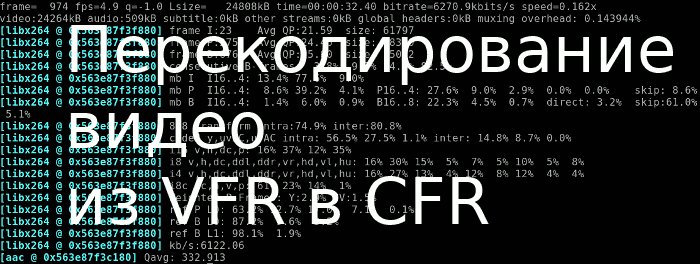

14
January
2021
Convert variable frame rate (VFR) videos to constant frame rate (CFR)
10:11

Convert variable frame rate (VFR) videos to constant frame rate (CFR)

14 January 2021 10:11

Most smartphones in video cameras record a video with a constant frame rate - 30 or 60 frames per second.
However, in the GCam application when shooting at night, you can set the frame rate automatically - it drops to 14 and below when there is not enough light, but the image in the frame becomes brighter. Recording with a variable frame rate (VFR) must be re-encoded with a constant frame rate (CFR) of 30 fps.

We get information about the video

Before you start transcoding, you should find out the file parameters with the video resolution, the frame rate and sound encoding parameters,

let's install the program:

sudo apt-get install mediainfo mediaInfo-gui

Conclusion on the screen of the parameters of the source video:

mediainfo in.mP4

Where in.mp4 is the source file.

Among other information, the following will be displayed:
Codec ID : avc1
Codec ID/Info : Advanced Video Coding
Duration : 32 s 455 ms
Bit rate : 9 603 kb/s
Width : 1 920 pixels
Height : 1 080 pixels
Display aspect ratio : 16:9
Frame rate mode : Variable
Frame rate : 19.350 FPS
Minimum frame rate : 14.238 FPS
Maximum frame rate : 33.174 FPS
Color space : YUV
Chroma subsampling : 4:2:0
Bit depth : 8 bits
Scan type : Progressive

Thus, in this video, the average bitrate is 19.350 FPS (limits of change of 14-33 FPS).

Svicing a video change in frame rate (FPS) in Linux

Traditionally, FFMPEG is responsible for video processing in Linux.

How to call FFMPEG to change the frame rate read in the article:
https: // trac.ffmpeg.org/wiki/ChangingFrameRaTE

Svicing the video is called by the command:

ffmpeg -i in.mp4 -filter:v fps=fps=30 out.mp4

where in.mp4 is the source file
Out.mp4 - File of result.

The speed of recoding video with a resolution of 1920x1080 on the Celeron 2600 processor was 0.25 frames per second.
The resulting video has a constant bitrate and frame rate:

Codec ID : avc1
Codec ID/Info : Advanced Video Coding
Duration : 32 s 467 ms
Bit rate : 6 122 kb/s
Width : 1 920 pixels
Height : 1 080 pixels
Display aspect ratio : 16:9
Frame rate mode : Constant
Frame rate : 30.000 FPS

Visually, when playing the video, nothing has changed - there are also small jerks caused by the low frame rate in the source video. But the frequency of personnel has become constant, which is suitable for using video or video hosting, such as YouTube or Rutube.

Quality adjustment at the coding stage using the Qp parameter

It is easy to notice that after transcoding, the flow rate decreased (it was 9603 KB/s, became 6,122 KB/s).
It is possible to reduce or increase the degree of compression when transcoding by setting up quantum QUantizer parameter.

For example:
-Qp 23

Full command for recoding video (parameter -QP 23 may be different):

ffmpeg -i in.mp4 -filter:v fps=fps=30 -qp 23 out.mp4

The dependence of the bitrate test video 1920x1080 with a progressive (p) reversal of 30 frames per second from the parameter qp is shown in the table.
The larger the QP, the stronger the compression and lower quality.

The values ​​of the final bitrate are obtained by experimentally, for a video of 974 frames. The frame was present (night shooting of the car from close range).

Table 1.

-Qp bitraTE
21 10.5 mb/s
22 9 461kb/s
23 8 682kb/s
24 7 720kb/s
25 7 101kb/s
26 6 352kb/s
27 5 588kb/s
28 4 987kb/s
29 4 453kb/s
30 3 966kb/s
31 3 546kb/s
32 3 156kb/s
33 2 824kb/s
34 2 502kb/s
35 2 236kb/s

The bitrate recommended in the articles lies in the range of 5-8 Mbps (the value of the “quantum” parameter goes within 28-23 ).

I looked at the resulting files - indeed, there are no compression artifacts at 8 Mbps (Qp = 23 ... 24). Signs of compression occur with a stream of less than 4 Mbps (QP = 30 or more)!

Video quality adjustment using the “constant quality” parameter CRF

I read this method in the article
https: // slhck.info/video/2017/02/24/crf-guide.htmL.

The optimal values ​​of the parameter CRF are also in the range from 18 to 25, where 18 is the best, 28 is the worst quality.

Table 2.

-CRF Bit rate
18 10.4 mb/s
19 9 404kb/s
20 8 482kb/s
21 7 628kb/s
22 6 844kb/s
23 6 122kb/s
24 5 465kb/s
25 4 867kb/s
26 4 329kb/s
27 3 848kb/s
28 3 417kb/s
29 3 032kb/s
30 2 693kb/s
31 2 390kb/s

The quality of the video in CRF = 23 is pretty good. With CRF = 26, with rapid movement of the camera, the "squares" are noticeable.

Limiting maximum flow rate

In order for the video to be played in the flow, it is necessary to limit the speed of the bit flow so that on the most difficult scenes the bitrate does not “fly out” outside the limits, limitations of the transmission channel.

The upper speed limit during coding is usually limited by the following option:

-b:v 10000k
where 0,000k - maximum channel speed, kilobits/second. The limit can be any, but higher than the average bitrate at a given CRF (see the second table above). This parameter resembles shaping in IP networks - the maximum speed is limited.

What method of adjusting the quality of video, QP or CRF, choose?

If you use the QP parameter, the degree of compression for dynamic and static scenes is the same. This means that for static personnel, compression can be excessive, and for dynamic (to which the eye/brain almost does not respond) - insufficient.

The CRF parameter works in the opposite way - determines the average "subjective" quality for all frames of the video. For dynamic scenes, for example, shooting fast animals, passing machines, the most sharp transitions will be blurred (saving bitrate), but slower movements will look better than with constant QP.

Addition. Rexing video with simultaneous trimming of the beginning and end on time marks

Sometimes you need to cut the beginning and end of the video. For example, if you get into an accident and you need to transcode the video from the registrar with the accident moment.

Team line:

ffmpeg -i FILE211027-172845.MOV -qp 35 -filter:v fps=fps=30 -ss 00:00:00 -to 00:00:44 out3.mp4

Where is the beginning (start video), -to end (end of the video). -QP compression (with -QP 35 flow about 2.2 Mbit/s -maximum compression).

Conclusions:

  1. The FFMPEG program allows you to transcode the video from the variable frequency of personnel into constant.
  2. Management of compression degree (and file size) allows you to flexibly adjust the video bitrate for QP or CRF parameters.
  3. In shots with unpredictable traffic, it is better to use CRF = 20 or 21, with a limitation of the maximum bitrate at the level of 10 Mbps.

Sources:
https://trac.ffmpeg.org/wiki/ChangingFrameRate
Recommended Google bitrate - 8 Mbps for FullHD.
https://ru.wikipedia.org/wiki/Constant_Rate_Factor
https://stackoverflow.com/questions/18444194/Cutting-the-Videos ...


Related publications
