5
May
2022
Unsafe apps will no longer work with Google Accounts on May 30, 2022
15:52

Unsafe apps will no longer work with Google Accounts on May 30, 2022

5 May 2022 15:52

Yesterday I encountered problems connecting Evolution to my Google account. Error: “Authentication failed: The name :1.22 was not provided by any .service files.” In other words, the Google account was not authenticated. It turned out that this error is related to Google disabling “unsafe” applications.

Access of unsafe applications to GMail will be disabled on May 30, 2022, as written here. Temporarily enabled access for "unsafe" applications while there is a switch on the Google website in the user profile.

What are "Unsafe Apps" according to Google

    • these are applications that do not use Google account login (essentially, oAuth2 two-factor authentication) and have not passed Google’s test for the “reliability” of storing confidential information, as written in this article.

Will this affect us?

It's not entirely clear yet. Most likely the application Evolution with two-factor authentication will be considered secure. But not a fact. He has too many rights.

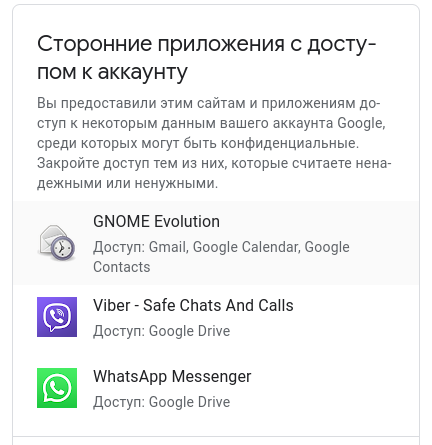
Applications that have access to the account: Gnome Evolution, Viber and WhatsApp.

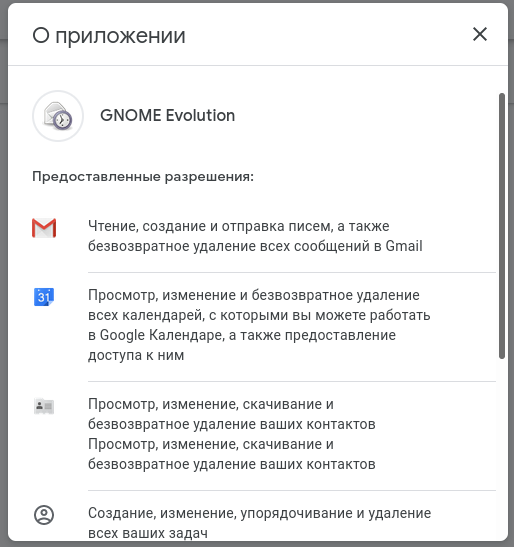
Gnome Evolution Permissions:
*Gmail

  • Read, compose, send, and permanently delete all messages in Gmail
  • Google Calendar
  • View, edit, permanently delete, and share all calendars you can work with in Google Calendar
  • Google Contacts
  • View, change, download and permanently delete your contacts
  • Create, edit, organize and delete all your tasks

Viber rights:

  • View, create and delete information about your settings in your Google Drive

WhatsApp rights:

  • Google Drive: View, create, edit and delete only the files in Google Drive that you use with this application
  • View, create and delete information about your settings in your Google Drive

Verified Google App:
Youtube on TV

  • YouTube: View and manage your rental and purchase history
  • YouTube account management

List of permissions available follow the link.

How to restrict access to your Google account for third-party applications?

On the page "Google Account" open the section Security.
In the "Third-party apps with account access" section, click Set up access for third-party applications.
Select the desired application or service.
Click Close access.

How to open access for untrusted applications

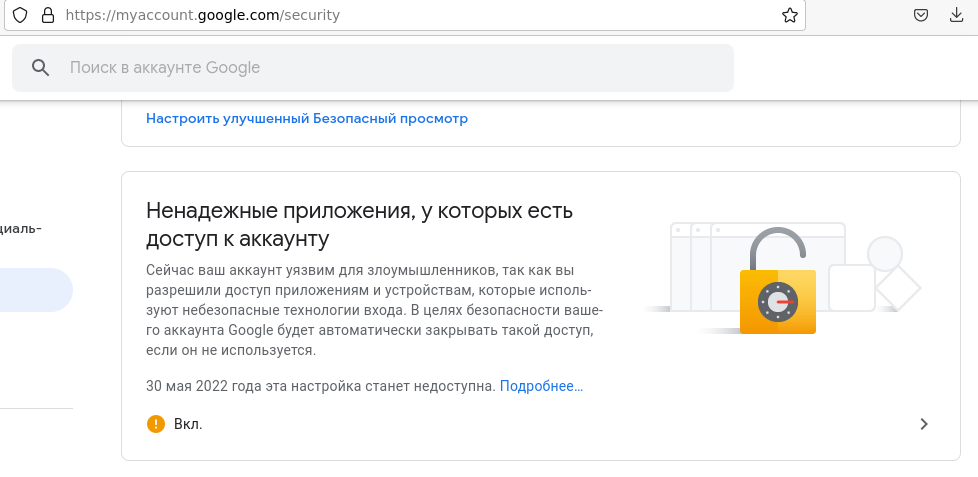
Probably the most interesting item that will disappear on May 30, 2022!

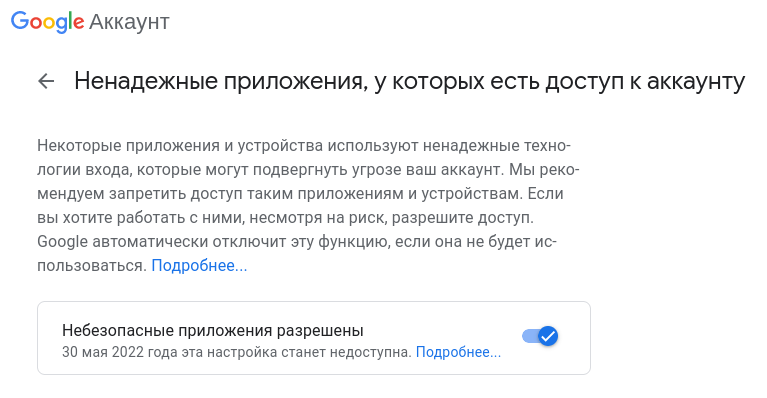
Google account - Security - Untrusted applications that have access to your account

nadezhnie

Some apps and devices use insecure sign-in technologies that may put your account at risk. We recommend that you deny access to such applications and devices. If you want to work with them, despite the risk, allow access. Google will automatically disable this feature if it is not used. Read more...

Direct link: for inclusion access of unsafe applications to your Google profile:link

nebezop_app

What is "Application Password"

Following Yandex, Google introduces the concept of an application password.

Create an application password

An app password is a 16-digit code that gives a third-party app or device access to your Google Account. Learn more about how to sign in using your app password:

Advice. Only create an app password if the app or device you want to link to your account doesn't have the "Sign in with Google Account" feature available.

!!!Conclusion: thus, on May 30, 2022, there will be changes in the “communication” of third-party programs with Google. The easiest way to get around these problems is to enable two-factor authentication and use applications that can connect using the oAuth2 protocol. As far as I understand, the Evolution mail client will not be disabled.

Since Evolution, although it was included in third-party ones, was in more proven ones, along with Viber and WhatsApp.
access
evolution


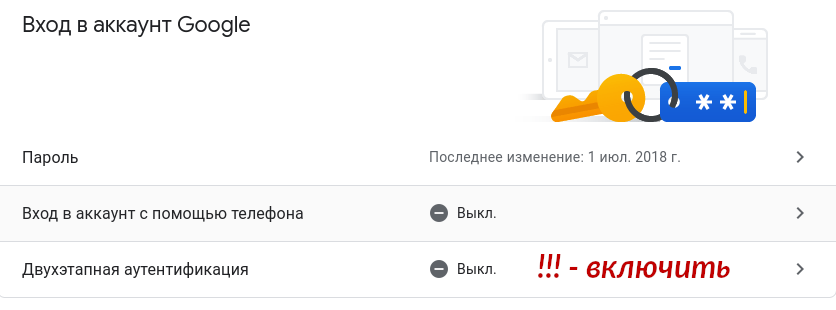
Enable two-factor authentication

I checked this thing - what will it affect and will enabling two-factor authentication affect it?

GMail - Account - Google Account Management - Two-Factor Authentication - On.
on
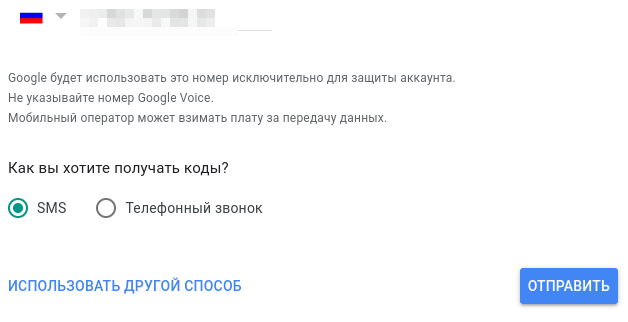
Via SMS
sms
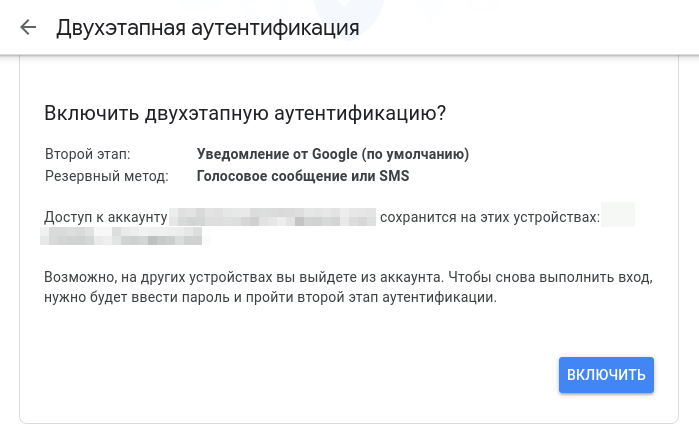
On the last screen, I confirmed that two-factor was enabled. This confirmed my phone number.
last

What has changed in the third-party email program Evolution since we enabled two-factor security verification?

Don't change anything. Apparently, Evolution received the rights earlier. Two-factor authentication in Evolution would be requested when setting it up on another computer.


Source: