


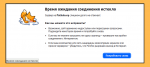
 Working with Flatpak or APT through a proxy server
 Fixing Linux Mint boot problem with integrated Intel graphics card
 Stop and disable TimeShift to save disk space
 Hard disk partitioning for installing Linux Mint on an old PC with BIOS in GPT mode
Languages
Theme
Popular tags
Random post
Archive of posts
- June 2026 ✒ 3
- May 2026 ✒ 2
- April 2026 ✒ 6
- March 2026 ✒ 3
- February 2026 ✒ 7
- January 2026 ✒ 8
- December 2025 ✒ 12
- November 2025 ✒ 9
- October 2025 ✒ 8
- September 2025 ✒ 5
- August 2025 ✒ 8
- July 2025 ✒ 6
- June 2025 ✒ 10
- May 2025 ✒ 4
- April 2025 ✒ 4
- March 2025 ✒ 4
- February 2025 ✒ 11
- December 2024 ✒ 8
- November 2024 ✒ 2
- October 2024 ✒ 8
- September 2024 ✒ 3
- August 2024 ✒ 5
- July 2024 ✒ 9
- June 2024 ✒ 6
- May 2024 ✒ 7
- April 2024 ✒ 5
- March 2024 ✒ 5
- February 2024 ✒ 5
- January 2024 ✒ 6
- December 2023 ✒ 7
- November 2023 ✒ 4
- October 2023 ✒ 8
- September 2023 ✒ 7
- August 2023 ✒ 4
- July 2023 ✒ 7
- June 2023 ✒ 7
- May 2023 ✒ 5
- April 2023 ✒ 6
- March 2023 ✒ 5
- February 2023 ✒ 2
- January 2023 ✒ 5
- December 2022 ✒ 7
- November 2022 ✒ 8
- October 2022 ✒ 6
- September 2022 ✒ 9
- August 2022 ✒ 8
- July 2022 ✒ 4
- June 2022 ✒ 9
- May 2022 ✒ 7
- April 2022 ✒ 3
- March 2022 ✒ 4
- February 2022 ✒ 6
- January 2022 ✒ 7
- December 2021 ✒ 7
- November 2021 ✒ 7
- October 2021 ✒ 7
- September 2021 ✒ 10
- August 2021 ✒ 6
- July 2021 ✒ 7
- June 2021 ✒ 7
- May 2021 ✒ 7
- April 2021 ✒ 4
- March 2021 ✒ 4
- February 2021 ✒ 3
- January 2021 ✒ 4
- December 2020 ✒ 8
- November 2020 ✒ 2
- October 2020 ✒ 3
- September 2020 ✒ 3
- August 2020 ✒ 5
- July 2020 ✒ 5
- June 2020 ✒ 8
- May 2020 ✒ 10
- April 2020 ✒ 4
- March 2020 ✒ 2
- January 2020 ✒ 1
- December 2019 ✒ 2