18
May
2022
Receiver RETEKESS V115: Brief Instruction
17:41

Receiver RETEKESS V115: Brief Instruction

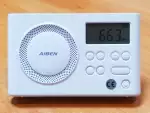
I tried to create a brief instruction for the RETEKESS V115 receiver.

Description of the action Buttons to press
Turning power On/Off Power hold
Volume control louder / quieter + -
Fast quieting / turning on sound Play-Pause
Menu: Change Menu Language to Russian Menu hold,
Right >> Right >> Right >> "Language" Play-Pause
Right >> Right >>
"Russian language" Play-Pause
Menu: Set Russian VHF band
Frequency Range: 64-108 MHz
FM/am
Menu hold,
Right >> Right >> Right >> Right >> Right >>
"FM Settings" Right >>
FM1 64-108MHz Play-Pause
Switch of the radio band FM or AM FM/am FM/am
short waves - switching frequency bands
4750 - 60 meters (SW1); 5950 - 49 meters (SW2);
7100 - 41 meters (SW3); 9500 - 31 meters (SW4)
11650 - 25 meters (SW5)); 13600 - 22 meters (SW6)
15100 - 19 meters (SW7); 17500 - 16 meters (SW8)
21450 - 13 meters (SW9)
SW SW SW
Auto Search
and store frequencies to the memory
Use with caution!!!
Memory cells will be overwritten!
Play-Pause hold
Stop automatic scan Play-Pause
Move through the memory cells left << Right >>
Manual search for radio stations by frequency UP Right >> press and hold
Stop manual search for radio stations Right >>
Manual search for radio stations by frequency DOWN left << press and hold
Store the SW frequency in memory cell No. 1
In SW mode, the available frequency band of memory cells 000-299
5 hold,
1
Play-Pause Play-Pause
Store the SW frequency in memory cell No. 12
In SW mode, the available frequency band of memory cells 000-299
5 hold,
1 2
Play-Pause Play-Pause
Store the SW frequency in memory cell No. 123
In SW mode, the available frequency band of memory cells 000-299
5 hold,
1 2 3
Play-Pause Play-Pause
Call the frequency from the memory cell No. 1 1 Play-Pause
Call the frequency from the memory cell No. 12 1 2 Play-Pause
Call the frequency from the memory cell No. 123 in SW mode 1 2 3 Play-Pause
Direct frequency input: 12345 kHz in SW 1 2 3 4 5 Play-Pause
Direct frequency input: 684 kHz in AM mode
* step 9 kHz in frequency range 522-1710 kHz,
where there are fixed frequencies: 522 - 531 - 540 - 549 ... 1701 - 1710 kHz
6 8 4 Play-Pause
Switch the frequency band to FM or AM FM/am
Direct frequency input: 97.6 MHz in FM mode 9 7 6 Play-Pause
Direct frequency input: 70.1 MHz in FM mode 7 1 Play-Pause
Store the frequency to the memory cell No. 1
in FM mode
* Available range of memory cells: CH00-CH79
5 hold
1 Play-Pause
Store the frequency to the memory cell No. 73
in FM mode
5 hold
7 3 Play-Pause
Delete (clean) memory cell No. 1 1 Play-Pause
Del hold,
Play-Pause
Delete (clean) memory cell No. 73 7 3 Play-Pause
Del press and hold,
Play-Pause
Start recording from the air REC press and hold
Stop the recording from the air REC
Delete the record Del press and hold
Go from the receiver mode to the MP3 player mode to play previously recorded files press and hold
Get out of the player mode FM/am or SW
Lock keyboard Mode press and hold)
Unlock keyboard Mode press and hold
Engage sleep mode 10 minutes Menu    Play-Pause
Right >> Play-Pause
Sound Amplifier mode from Line Input: Connect an audio cable to the output of the sound source and to the input "Line in" of device and turn on the device Power hold
Start recording from the external source with audio cable connected to audio source and the device REC press and hold
Stop the recording from an external source REC
Change from Playback mode to the Recording mode in the Sound Amplifier mode with an audio cable connected to the "Line in" input Mode
Preparation for the Voice Recorder mode (change mode from the Radio to the Voice Recorder) press and hold
In the Voice Recorder mode - start recording REC press and hold
In the Voice Recorder mode - stop recording REC
Move through recorded files Up or Down left << Right >>
Delete the recorded file Del press and hold
Exit from the voice recorder mode FM/am
Go to MP3 player mode
(The memory card must contain files with the MP3 extension)
Mode
MP3 playback mode of files by alphabet (a -alphaBet) Menu - there is a letter on the display: "A"
The repetition mode of the same mp3 file (repeat) (1) Menu - there is a digit on the display: "1"
Play MP3 files in the current folder in a loop (F - Folder) Menu - there is a letter on the display: "F"
MP3 playback mode of files in random order (r -random) Menu - there is a letter on the display: "R"
MP3 playback mode - go to the recorder folder from the air or from the microphone (voice recorder) press and hold
Go back to the MP3 playback Mode
Management of playback modes 1/a/r/f using the menu Play-Pause hold
"Playback mode"
Play-Pause
To step to the folders on the SD card ("Explorer" mode) Play-Pause hold
"Main folder"
Right >>
"UP LEVEL"
Play-Pause
Exit from the "Explorer" mode In the root folder of the SD card:
"UP LEVEL" Play-Pause
Exit from the MP3 playback mode FM/am


Related publications