7
May
2021
Installing Typora editor on Debian or Ubuntu
14:01

Installing Typora editor on Debian or Ubuntu

7 May 2021 14:01

Typora is a WYSIWYG text editor for Markdown.

Typora features

  1. Creating text files ",md" with markup like Markdown
  2. Visual formatting of paragraphs at any level, Markdown formatting of quotations, links, footnotes
  3. Tables - creating, adding columns and rows, text alignment.
  4. Changing word formatting - bold, italic, underline, emphasis, code, strikethrough, comment
  5. Hyperlinks in Markdown format using Copy-Paste
  6. Importing text from other formats
  7. When using the copy function: convert to HTML, plain text, Markdown
  8. Smart punctuation
  9. Spell checking
    10.View source code
    11.Themes
    12.Lots of settings

All menu items are translated into Russian.

Installing Typora from the repository

To install Typora, run the commands in the Terminal:

Install the typora.asc key for the Typora.io repository in the /etc/apt/trusted.gpg.d/ folder:

wget -qO - https://typora.io/linux/public-key.asc | sudo tee /etc/apt/trusted.gpg.d/typora.asc

Then add the repository:

cd /etc/apt/sources.list.d

Create file if does not exist, or open

sudo nano additional-repositories.list

add a line to the end of the file

deb https://typora.io/linux ./

Then save the file “additional-repositories.list” - press the key combinations Ctrl+O, then Enter, then Ctrl+X.

typora

Refresh package cache with command

sudo apt-get update

Install package 'typora':

sudo apt-get install typora

Addition. Typora became paid ($15)

Starting with version 1.0.0.1, the Typora editor became paid. You need to purchase a license ($15), and the authors of the program will send the key to your e-mail address. Free use is only 15 days.
paid

To use the free version without expiration restrictions, you need to downgrade the package typora to version 0.11.18.1 as shown below:

  1. Install the Synaptic package management program:

    sudo apt-get install synaptic

  2. Run synaptic

    sudo synaptic

Using the filter by origin (1) and selecting the typora.io source, find the typora package:

select

Select typora package (3)

select2

  1. On the menu Synaptic select item "Package" - "Specify version"(in the English version of Linux: "Package" - "Force Version")

  2. Select and install the free version of the Typora editor - 0.11.18-1 there is no free version in 2022

(Click for larger image).
synaptic

  1. Click "Apply" and "Apply".

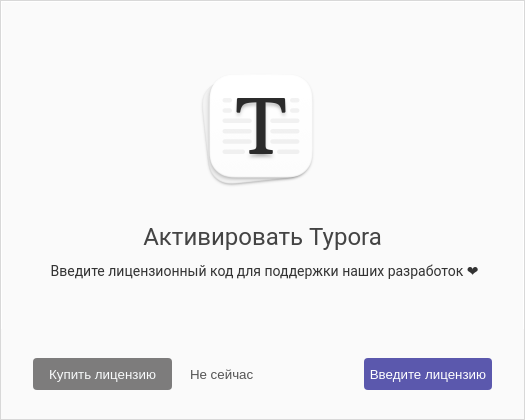
  2. Run "Start"-"Office"-"Typora", select operating mode without a license:"Not now".

    activate

Question: How can I get the free version of Typora?

You can get free version 1.0.2 for review:

typora_1.0.2

Commands in the Terminal:

sudo rm /etc/apt/trusted.gpg.d/typora.asc
sudo nano /etc/apt/sources.list.d/additional-repositories.list
sudo apt-get update
wget https://github.com/lhzptg/Typora-0.11.18/blob/main/Typora-linux-x64.tar.gz
mkdir typora && mv Typora-linux-x64.tar.gz typora && cd typora && tar -xvzf Typora-linux-x64.tar.gz
typora

Links:
Markdown
Typora support